
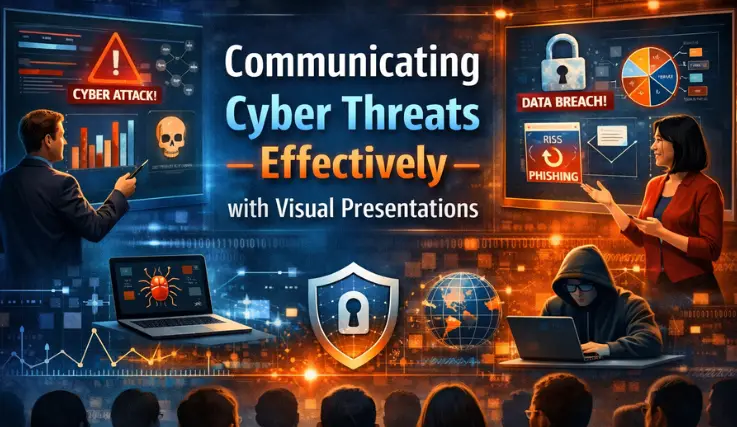
Communicating Cyber Threats Effectively with Visual Presentations
Visual presentations serve as the most efficient method to convey cybersecurity threats to audiences, as Cybersecurity now operates as the fundamental business priority for modern organizations since it has transformed from its previous role as a technical function that handles back-office operations.
Organizations need to establish a complete method that enables them to convey cyber threat information, which includes details about threat severity and organization-wide impact. The use of complex technical skills by teams and the absence of contextual information for strategic leaders cause organizations to face critical decision delays and increased exposure to risks. Visual presentation serves as the most effective method to bridge this communication gap.
Organizations can create a shared understanding through their ability to present complex technical threats and abstract data as powerful visual content, which leads to their security systems becoming more effective through proactive measures and their security culture growing into a completely resilient state.
Introduction: Why Visual Communication Matters in Cybersecurity
The success of cybersecurity work depends on organizations' ability to deliver clear, specific information to all stakeholders. Security experts can reduce threats through their understanding of the situation at hand.
Security reports become impossible to understand for non-technical audiences who include executives, board members, and employees from all departments, because of their use of technical security language, which contains logs, code snippets, and statistical tables. The lack of operational clarity results in dangerous outcomes, including people underestimating risks and organizations using resources incorrectly and preparing inadequately for emergencies.
Visual communication serves as the solution that helps organizations to meet this particular challenge. The human brain processes images faster than text.
Users in the cyber threat field require immediate access to information during emergencies. Visuals simplify complex content by transforming technical compromise indicators into understandable stories that help users understand the hidden dangers. This solution establishes a common understanding among all participants, which enables organizations to reach their goals through better decision-making that protects both their business assets and their public image.
Common Challenges in Communicating Cyber Threats
Every team must first acknowledge its ongoing challenges with cyber risk communication before they begin to develop its solution. Some common challenges are:
Technical Jargon and Complexity: Security experts understand terms such as "zero-day exploit," "lateral movement," and "SQL injection," yet these words create danger because others need their complete definition. The lack of a common understanding between people leads to confusion and disconnection between them.
Lack of Engagement from Stakeholders: When presentations contain complex information, their main audiences lose interest because they cannot understand the material. Organizations view cybersecurity as a cost center because they need strong proof of risk and return on investment before they will allocate funds and achieve buy-in.
Misinterpretation of Risk Severity: The understanding of risk gets misinterpreted because people use different assessment methods, which create their own measurement standards. The two systems lead to incorrect resource distribution because minor threats receive attention while major threats remain unaddressed.
Types of Visual Presentations for Cyber Threats
The process of choosing an appropriate visual presentation method begins with knowing the types to aid you in expressing your particular message.
Charts and Graphs for Trends and Incidents: The Time-series line charts demonstrate how phishing attempts increased throughout the three months. Bar graphs show how different departments experienced varying levels of incident occurrences.
Pie charts can show the distribution of different types of threats, which include malware, social engineering, and insider threats. The visual displays enable users to quickly see their display of existing patterns together with their organizational priorities.
Infographics for Risk Awareness: The well-designed infographic serves as a strong tool that helps to spread awareness about risk information. The design can simplify a complex topic by creating a visual story through which viewers follow an orderly progression of information using basic icons and limited text.
The format serves as an effective distribution method for cybersecurity information that needs to reach the entire organization through email, intranet, and lobby screen display.
Flowcharts for Incident Response Processes: The flowchart displays the incident response sequence, which begins with detection and moves through analysis, containment and eradication, and recovery. The people who work in emergencies need to have a complete understanding of their tasks to achieve operational success.
The visual flowchart helps team members understand their responsibilities and the steps they need to take during an incident response process. The approach helps to decrease fear while it boosts the speed of joint operations.
Dashboards for Real-Time Monitoring: Executive and Security Operations Center (SOC) dashboards present two types of information, which include current operational data and past performance metrics through one graphical display. The system displays key metrics through gauges and heat maps, and trend lines, which show active threats and mean time to detection (MTTD) and system vulnerabilities according to their severity and attack origins.
The system provides users with an ongoing, comprehensive overview that displays the complete security status of the system.
Designing Effective Cybersecurity Visuals
Creating stunning visual content requires designers to use their data through structured design procedures, which should be:
Simplify Without Losing Accuracy: The objective requires us to create a complete solution that maintains original content through our process of simplifying information. The core message needs to start with three essential questions, which ask "Are we improving?" "Where is the greatest risk?" "What action is needed?"
The information needs to be presented through clear titles and labels that show the insight to viewers.
Use Color, Icons, and Annotations strategically: Use color, icons, and annotations. The color system needs to follow a consistent pattern that users find easy to understand. The system should use red for critical/severe events, orange for high events, yellow for medium events, and green for low events.
The use of icons, which display protection through shields, accessibility through locks, and risk through warning triangles, enables users to identify elements with speed. The annotations and callout boxes provide direct access to essential findings and suggested actions, which appear on the visual display.
Highlight Key Risks and Actionable Insights: The visual needs to show two elements, which include critical dangers and their corresponding solutions. All visual elements need to provide an answer that explains their significance.
The most crucial information requires design elements that guide viewers to important content through visual cues. The visual design needs to use size and placement, and contrast elements to show three critical risks or to display the preferred result. The visual system needs to lead the audience towards reaching a particular conclusion or taking the required action.
Tools for Creating Cyber Threat Visuals
Your cybersecurity visuals can be enhanced through the use of various tools, which range from basic tools to advanced solutions such as:
Presentation Software (PowerPoint, Google Slides, Canva): These three applications serve as flexible tools that enable users to design infographics and basic diagrams, and professional presentation materials. The drag-and-drop interface of Canva enables users to create professional designs through its pre-designed templates, while PowerPoint provides businesses with complete access to its sophisticated charting capabilities.
Data Visualization Platforms (Tableau, Microsoft Power BI): These tools serve as the industry standard for creating interactive data presentations, which include visual displays and dashboard solutions. The system enables users to establish real-time interactive dashboards that utilize security information and event management (SIEM) systems, threat intelligence sources, and various data inputs for interactive analysis.
Specialized Cybersecurity Dashboards: Security platforms such as Splunk, IBM QRadar, and Palo Alto Networks Cortex provide users with integrated dashboarding and visualization tools that are designed specifically to handle security-related information. The system provides automatic visual displays that have been created for specific purposes that include threat detection, vulnerability assessment, and compliance documentation.
Best Practices for Presenting to Different Audiences
The last step of effective communication requires speakers to customize their message according to the specific needs of their audience, such as:
For Executives and the Board: The presentation requires organizations to demonstrate business effects and financial risks while showing how their operations match their strategic goals. The report requires organizations to present their data through high-level dashboards and summary infographics that use clean design elements.
The report needs to show how cyber threats connect with operational downtime, regulatory fines, brand damage, and competitive advantage. The visual should answer: "What is the risk to our business objectives, and what investment/resource is needed to manage it?"
For IT and Security Teams: this requires technical information to execute operational tasks. The visuals here include detailed network topology maps, which include threat overlays and flowcharts that demonstrate specific attack patterns and dashboards that show detailed data about malware signatures and vulnerability scan results.
The focus is on "What is happening, where, and what are the precise mitigation steps?"
For General Employees: The educational program for general employees aims to create awareness, which helps people learn new skills and develop better conduct. The program uses engaging infographics and short video explainers, which follow a simple design.
The visuals need to show common threats, which include phishing emails and the need for strong passwords, and instructions about how to report suspicious activity. The message is: "This is what to look for, and this is what you need to do."
Case Studies: Effective Cyber Threat Presentations
Visual communication demonstrates its ability to save businesses through actual case studies. One global financial institution struggled to secure funding for a critical security upgrade.
Their technical reports received no attention. The team developed a one-page heat map that used color codes to display their outdated system. The system displayed two types of information.
The system used to predict potential financial loss from the system failure, which resulted in increased attacks on that particular technology. The visual made the intangible risk concrete, and the funding was approved immediately.
The process of creating a risk assessment report encountered problems because assessment teams did not provide complete information to management. The team discovered security weaknesses, but presented their findings through long lists, which did not show urgency to their superiors.
The team could have improved risk awareness through a dashboard that showed the five most critical risks together with their patching schedule.
In Conclusion
An organization with complete knowledge about cyber threats becomes its strongest protection against these security risks. Organizations need to use visual presentations because these elements serve as essential instruments that help to communicate security threats.
Visuals create simple paths that enable executives to understand risks while technical teams achieve precise execution, and all employees participate in security efforts. The key takeaway is to start with the audience's needs and craft the visual story that meets them.
The team needs to shift their reporting system from technical documentation, which reacts to situations, to visual storytelling, which proactively informs audiences. Organizations should allocate resources to develop their ability to create visual representations of their security information.
The process of making cyber threats simple to understand leads to better control of those threats. Shared responsibility and proactive resilience become core values, which transform cybersecurity into an essential element that drives business success.